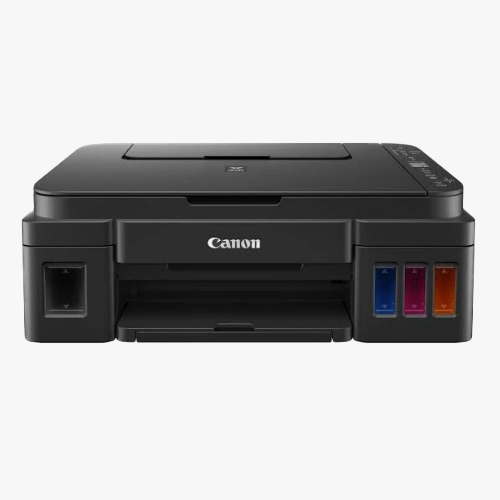
Canon Pixma G3010 Printer

Canon Pixma G3010 Printer

MOQ : 100 Pieces

Canon Pixma G3010 Printer Specification

  • Install Type
  • Desk/Flat Placement
  • Production Output
  • Up to 7,000 pages (black), 6,000 pages (colour)
  • Accessory Name
  • Power Cord, Setup CD, Ink Bottles
  • Scan Speed
  • Approx. 19 secs (A4 Colour) / 32 secs (A4 Grayscale)
  • Usage & Applications
  • Home, Office, Small Business
  • Noise Level
  • Approx. 53 dB(A)
  • Display Type
  • Segment LCD (1.2 inch)
  • Dimension (L*W*H)
  • 445 x 330 x 163 mm
  • Processor Speed
  • Not specified by manufacturer
  • Function Type
  • Print, Scan, Copy (All-in-One)
  • Features
  • Mobile Printing, Borderless Printing, High Page Yield, Energy Efficient
  • Memory Size
  • Not specified by manufacturer
  • Connectivity Type
  • Wired & Wireless
  • Scanning Resolution
  • 600 x 1200 dpi
  • Print Technology
  • Inkjet
  • Paper Size
  • A4, Letter, Legal, A5, B5, Envelope (DL, COM10)
  • Power Consumption
  • Approx. 12W (printing), 0.6W (standby)
  • Type
  • Multi-Function Ink Tank Printer
  • Interface Type
  • USB 2.0, Wi-Fi, Wireless LAN
  • Color Depth
  • 16-bit/8-bit (Input/Output)
  • Scan Type
  • Flatbed CIS
  • Print Speed
  • 8.8 ipm (black), 5.0 ipm (color)
  • Max Paper Size
  • A4
  • Size
  • Standard
  • Weight
  • 6.3 kg
  • Max Duty Cycle
  • Recommended up to 1,000 pages/month
  • Supported Media Types
  • Plain Paper, Photo Paper, Envelopes, Labels
  • Operating System Support
  • Windows 10/8.1/7 SP1, Mac OS X v10.10.5 or later
  • Mobile Support
  • Canon PRINT Inkjet/SELPHY App, Google Cloud Print, Apple AirPrint
  • Operating Temperature Range
  • 5C - 35C
  • Copy Function
  • Standard, Multiple, Borderless Copy
  • Output Tray Capacity
  • Up to 30 sheets
  • Input Tray Capacity
  • Up to 100 sheets
  • First Print Out Time
  • Approx. 17 seconds (black), 24 seconds (colour)
  • Humidity Range
  • 10% - 90% RH (no condensation)
  • Compatible Ink Bottles
  • GI-790 (Black, Cyan, Magenta, Yellow)
  • Power Supply
  • AC 100-240V, 50/60Hz
 

Canon Pixma G3010 Printer Trade Information

  • Minimum Order Quantity
  • 100 Pieces
  • Payment Terms
  • Cash in Advance (CID)
  • Supply Ability
  • 5000 Pieces Per Month
  • Delivery Time
  • 10 Days
  • Main Domestic Market
  • All India
 

About Canon Pixma G3010 Printer


Experience the illustrious Canon Pixma G3010 Printer-your crowning solution for seamless printing, scanning, and copying. Explore the splendid performance with new high-yield ink technology; produce up to 7,000 pages (black) and 6,000 pages (colour). With an input tray capacity of 100 sheets and versatile mobile support, this all-in-one marvel is ready for homes, offices, and small businesses. Pick yours and enjoy swift first printout times, borderless printing, and robust connectivity, all crafted into a slim, energy-efficient design built for reliability and brilliance.

Versatile Applications Across Multiple Surfaces

The Canon Pixma G3010 Printer excels on a variety of application surfaces such as plain paper, glossy photo paper, envelopes, and labels. Optimal for settings including homes, busy office workstations, and dynamic small businesses, this multi-function device adapts seamlessly to your site-specific needs. Its flexible design makes it perfect for standard desk placement, supporting a wide range of paper sizes and quality standards to meet daily printing, scanning, and copying tasks.


Reliable Delivery & Sample Policy for the Indian Market

Canon Pixma G3010 Printers are dispatched with secure shipping, ensuring every unit reaches you safely via trusted transport services. Sample policy is available upon request, providing a closer look before finalizing your order. Our streamlined process enables swift delivery times, catering primarily to the main domestic market across India. From order placement to doorstep delivery, we prioritize promptness and reliability, allowing your office or business operations to begin without delay.


FAQ's of Canon Pixma G3010 Printer:


Q: How can I connect the Pixma G3010 to my devices for printing?

A: You can connect the Canon Pixma G3010 via USB 2.0 for wired connections, or through Wi-Fi and Wireless LAN for seamless wireless printing from computers and smartphones.

Q: What media and surfaces are supported for printing and copying?

A: The printer supports a variety of surfaces, including plain paper, glossy photo paper, labels, and envelopes, giving you flexible options for different tasks.

Q: When will my Canon Pixma G3010 Printer order be delivered?

A: Once your order is placed, dispatching is handled promptly using secure transport services. Delivery time varies by location but is optimized for quick, reliable service within India.

Q: Where can this printer be installed and utilized effectively?

A: This printer is well-suited for desks and flat surfaces in homes, offices, or small businesses, adapting to various workspace needs and supporting a range of paper sizes.

Q: What are the main benefits of choosing the Canon Pixma G3010 Printer?

A: Key benefits include high page yield, mobile printing, borderless printing, energy efficiency, and multi-function capability-making it a splendid choice for efficiency and cost-effectiveness.

Q: How does the sample policy work for prospective buyers?

A: Prospective buyers can request a sample to review the Canon Pixma G3010 before purchase. This helps ensure that the printer meets your unique requirements and expectations.

Tell us about your requirement
product

Price:

Quantity
Select Unit

  • 50
  • 100
  • 200
  • 250
  • 500
  • 1000+
Additional detail
Mobile number

Email

More Products in Computer Printers Category

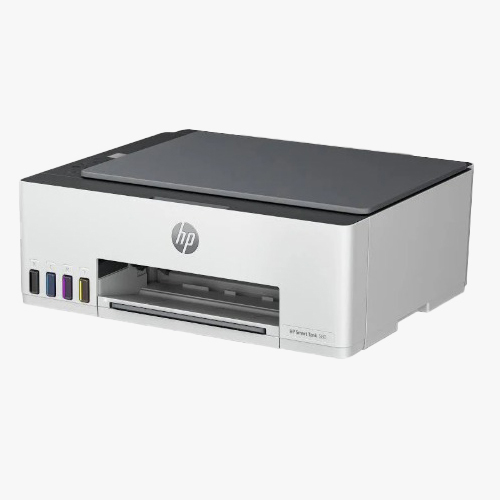
HP Smart Tank 580 All In One Printer

HP Smart Tank 580 All In One Printer

Minimum Order Quantity : 100 Pieces

Color Depth : Other, 24bit

Production Output : 1200 pages (monthly duty cycle)

Install Type : Easy Self Installation

Usage & Applications : Home, Small Business, Office Printing, Scanning and Copying Needs

Scan Speed : Up to 3.5 ppm

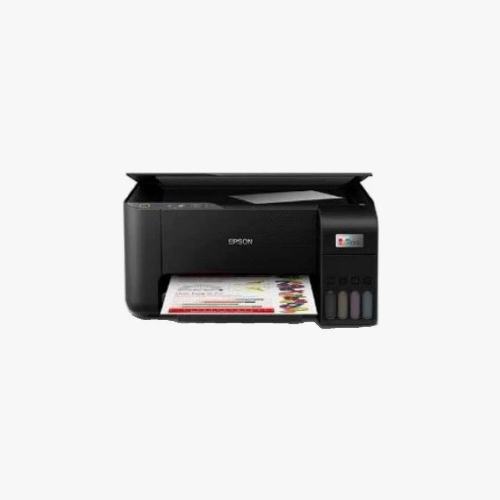
Epson EcoTank L3250 All in One Ink Tank Printer

Epson EcoTank L3250 All in One Ink Tank Printer

Minimum Order Quantity : 100 Pieces

Color Depth : Other, 24bit

Production Output : Up to 7,500 pages (black), 6,000 pages (color) per ink refill set

Install Type : External (Standalone)

Usage & Applications : Home and Small Office Printing

Scan Speed : Up to 11 sec (black) / 32 sec (color)


Back to top